

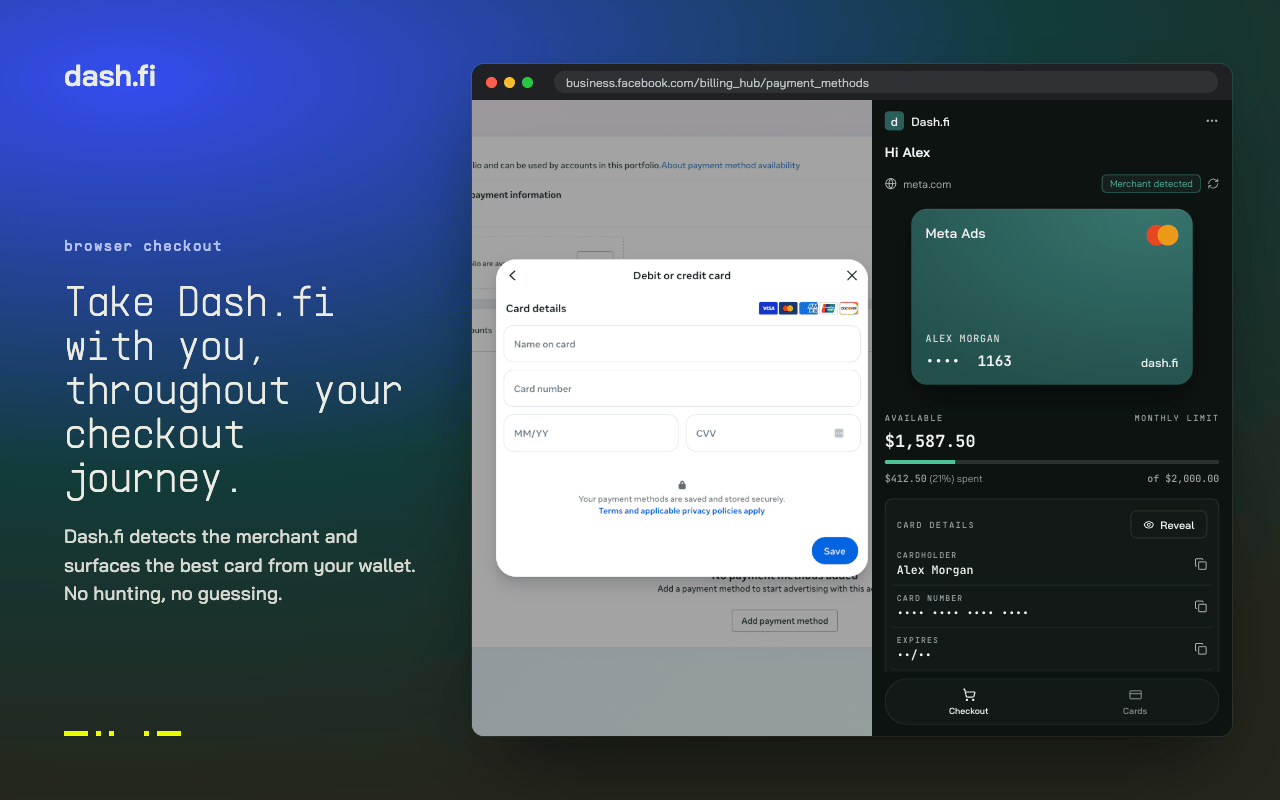
The extension detects the merchant and surfaces the best card from your wallet.
Get started
- Install Dash.fi Card Assistant from the Chrome Web Store
- Sign in with your Dash.fi account, the same way you sign in to the web dashboard
Your cards at checkout
On a checkout page, the extension shows your active cards that work on that site. Dash.fi recognises common business merchants, including ad platforms (Meta, Google Ads, TikTok Ads), AI and cloud providers (OpenAI, Anthropic, AWS), SaaS tools, shipping carriers (UPS, FedEx, DHL), and airlines, and matches them to your cards’ spend-category restrictions. A card restricted to Advertising is offered on an ad platform but not on a shipping site. Unrestricted cards work everywhere your account’s categories allow.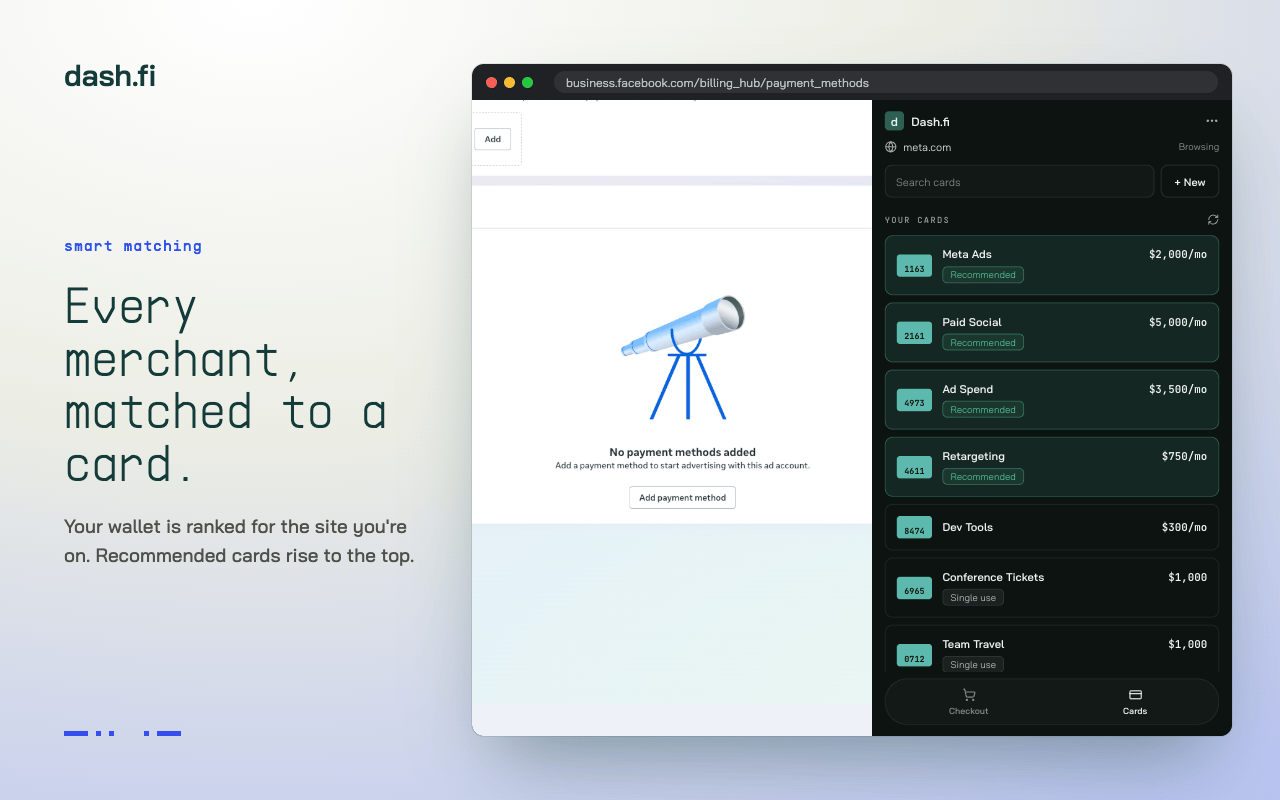
Your wallet is ranked for the site you're on, with recommended cards at the top.
Fill card details
Select a card to fill its number, expiry, and CVV at checkout. The extension can also fill the billing address: your cardholder address, or the company address when you don’t have one on file. Card numbers are fetched directly from the card processor using a single-use, encrypted request. They are not stored by the extension.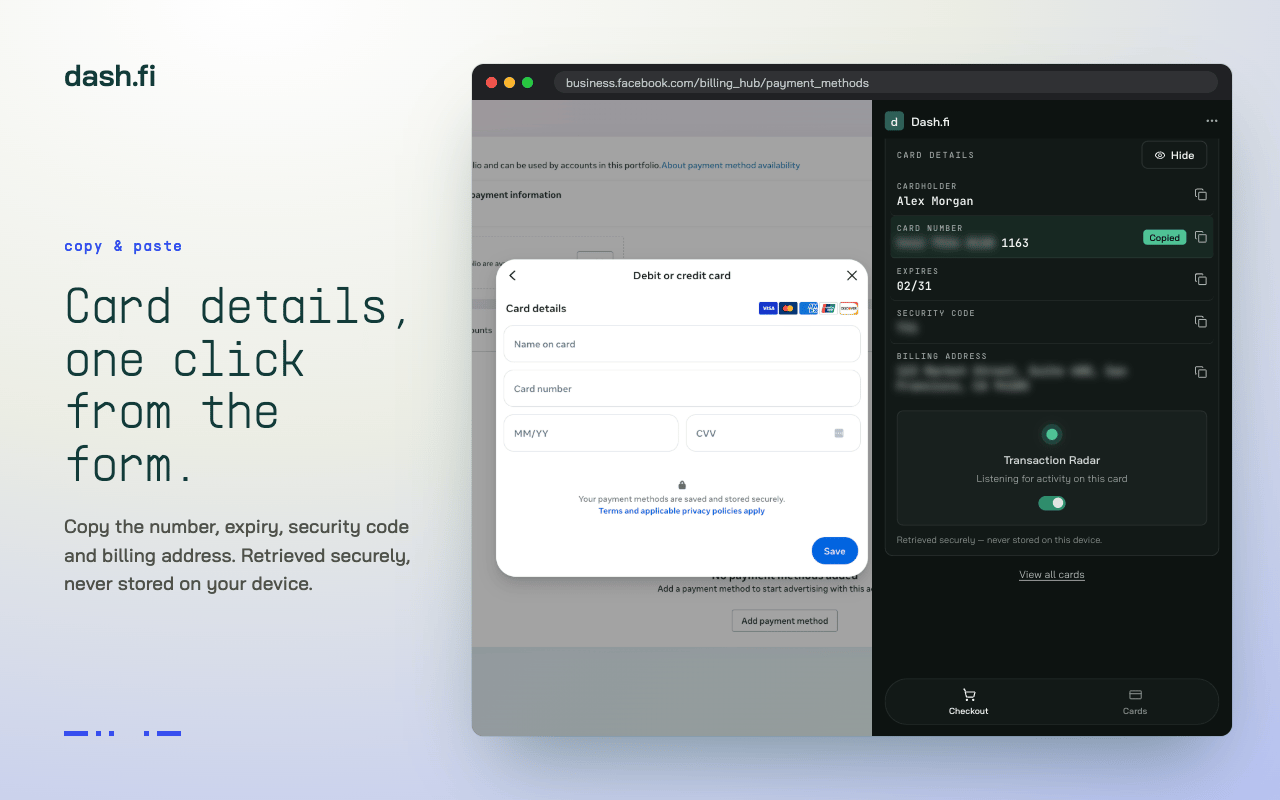
Copy the number, expiry, security code, and billing address one field at a time.
See whether the charge went through
After you fill a card at checkout, the extension watches that card for the resulting transaction and shows the outcome:- Approved — the charge was authorised, with the merchant and amount
- Declined — the charge was rejected, with the reason and the most useful next step (for example, unfreeze the card or raise its limit)
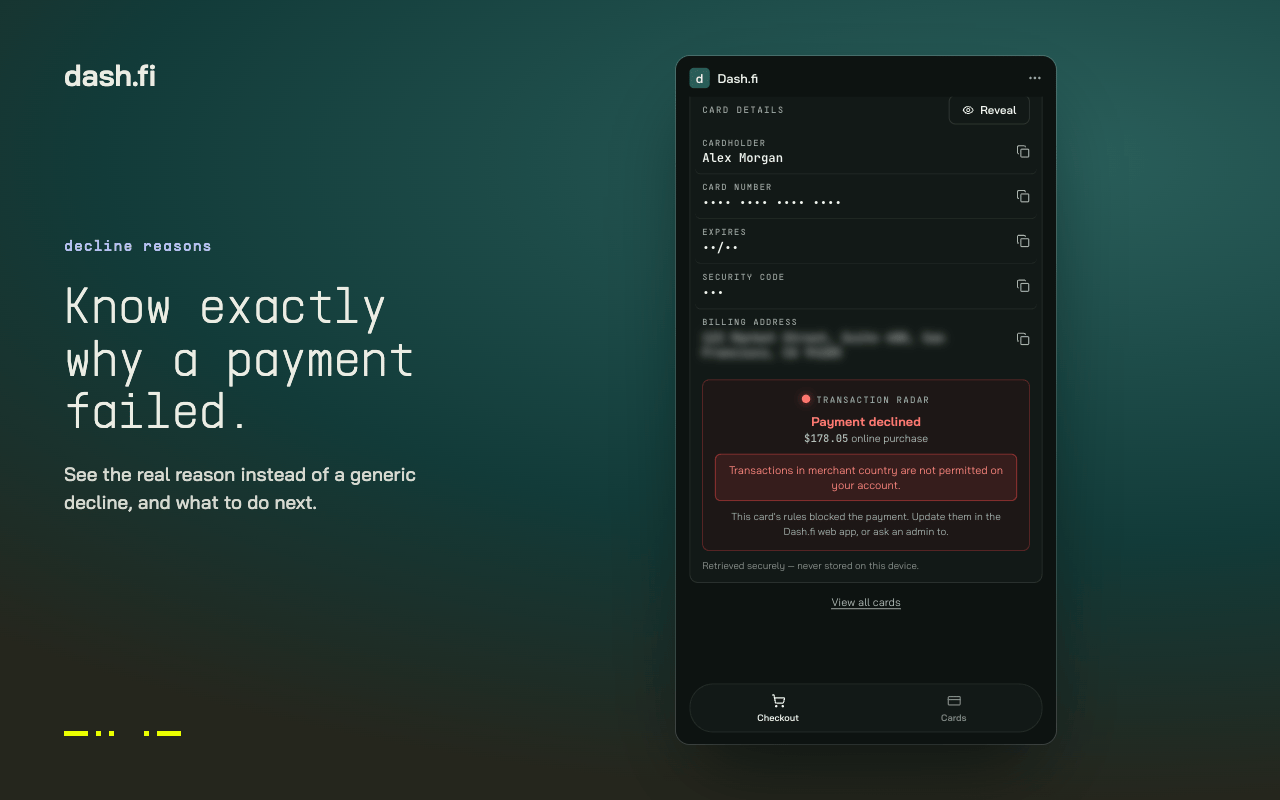
Declines show the real reason and what to do next, instead of a generic failure.
Request a card from the checkout page
If none of your cards fit the purchase, you can request a new one without opening the dashboard:- The extension suggests a template matched to the site you’re on, for example the Advertising template on an ad platform. You can pick a different template or skip templates entirely.
- Set a name, a spend limit, and the card type: Single-Use (the limit applies over the card’s lifetime) or Recurring with a daily, weekly, monthly, or yearly limit.
- Submit the request.
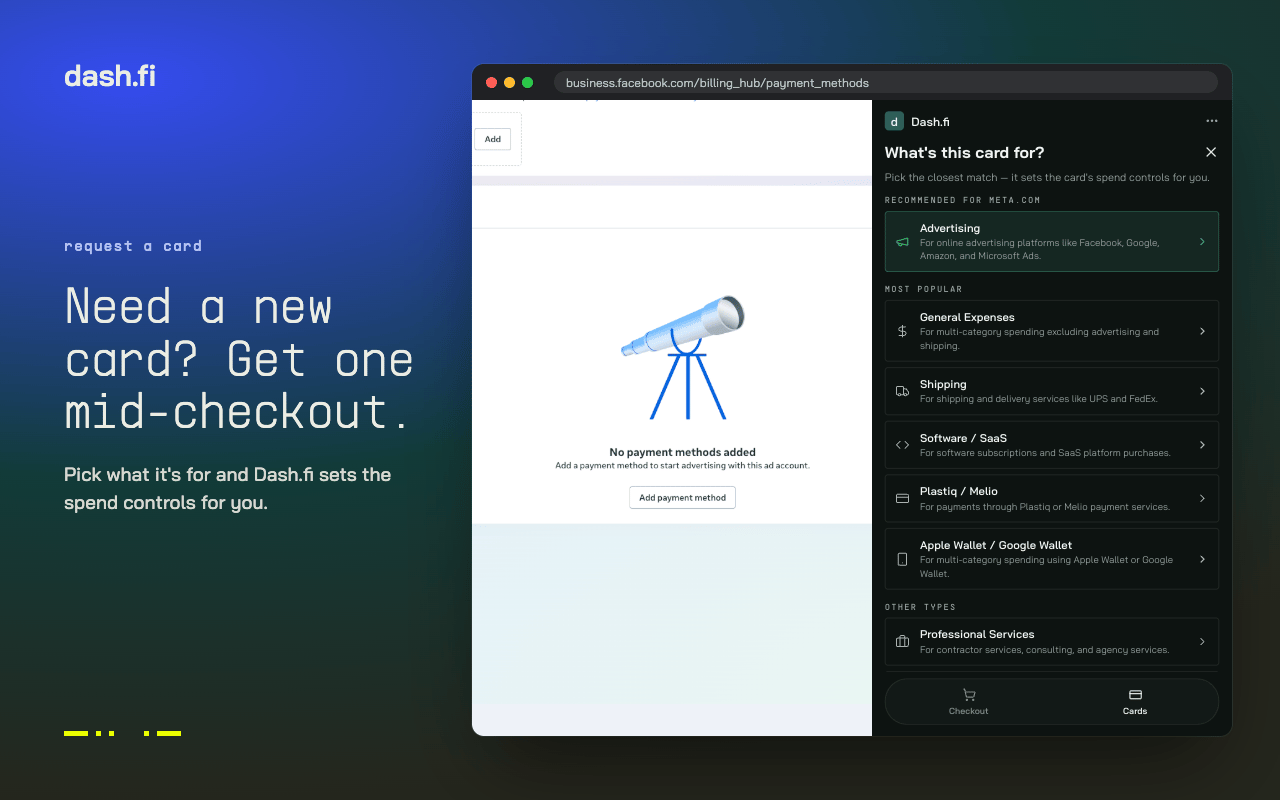
Pick what the card is for and Dash.fi sets its spend controls.
- The card is issued immediately and ready to use, or
- The request routes to an approver first, or
- The request is declined because the policy doesn’t allow it