

What you get
- Corporate charge card — unlimited virtual cards, no personal guarantee, Net-1 to Net-60 repayment terms
- Spend management — approval workflows, policy rules, budgets, and expense management for your whole team
- Bill pay — pay vendors by ACH directly from the dashboard, with approval controls
- Rewards — up to 3% cashback on ad spend, shipping, and AI services; up to 2% on everything else
- Accounting integration — live sync to QuickBooks, Xero, or NetSuite; AI-assisted transaction coding
- Audit agents — Shipping, Advertising, and AI Token agents that monitor spend and recover overcharges automatically
Application steps
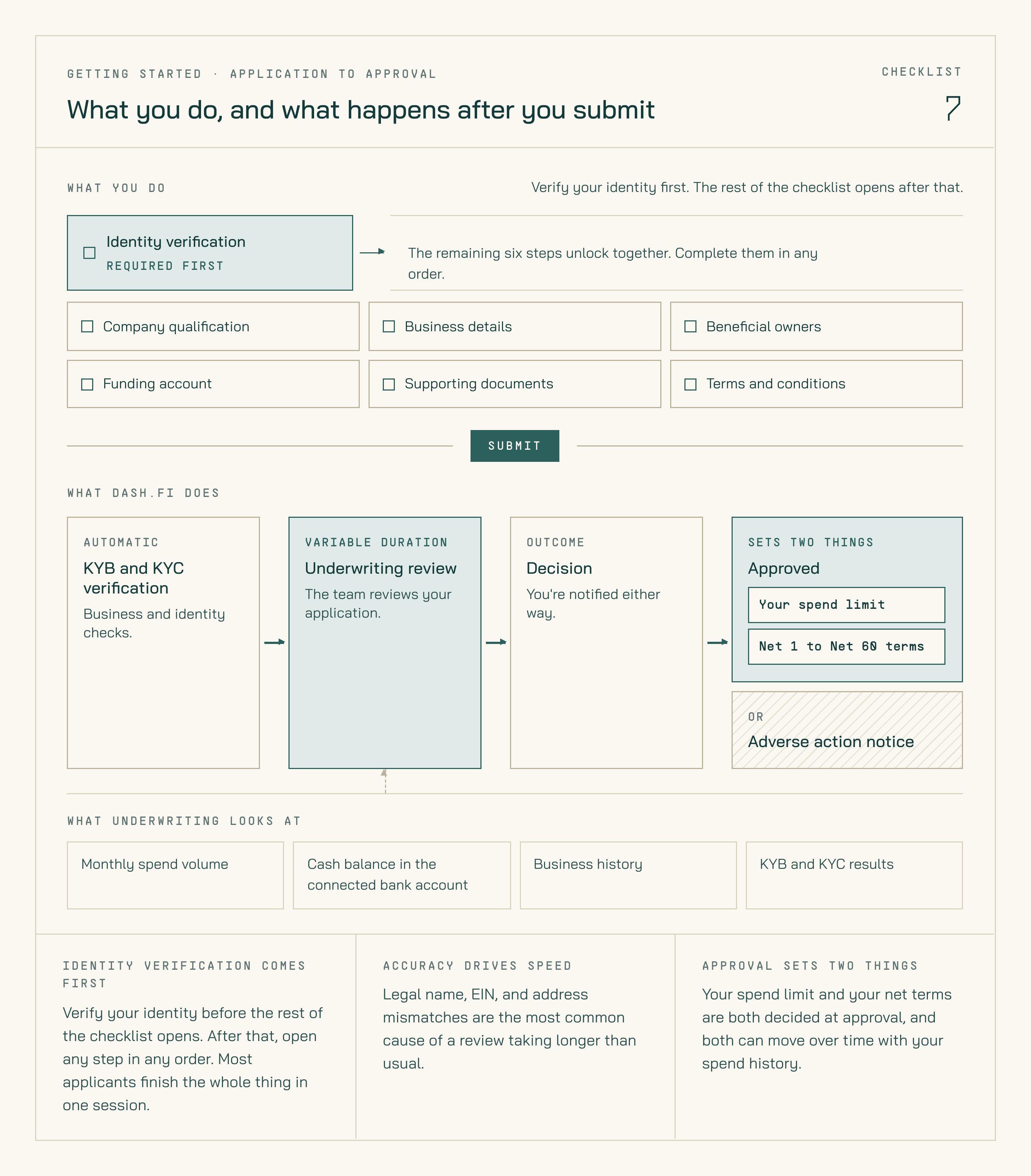
What you complete, and what Dash.fi does with it after you submit.
1
Company qualification
Confirm your company is registered in the US. International companies with a US domestic entity and EIN can also qualify.
2
Business details
Provide your company’s legal name, EIN, incorporation details, operating address, website, and estimated monthly spend. This information is used for KYB (Know Your Business) review.
3
Identity verification
Complete a quick ID and selfie check via Plaid for the account administrator. Dash.fi follows KYC (Know Your Customer) standards required by our issuing bank.
4
Beneficial owners
Add anyone who owns 25% or more of the business, plus your controlling officer.
5
Funding account
Connect your business bank account via Plaid. This account is used to settle balances.
6
Supporting documents
Upload a bank statement so we can verify your account.
7
Terms & conditions
Review the fees and accept the Dash.fi cardholder agreement to activate your card. Once submitted, the Dash.fi team reviews your application and sets your spend limit and net terms.